
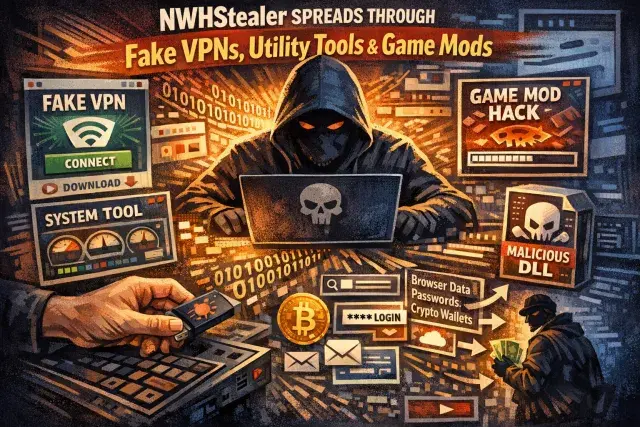

A broad malware campaign is using convincing software lures to deliver an infostealer known as NWHStealer, with victims exposed through fake VPN downloads, hardware utilities, mining tools, and gaming mods. What makes the activity especially concerning is not only the payload, but the range of channels used to make malicious files appear routine and trustworthy.
The campaigns described here show a familiar shift in cybercrime: attackers are no longer relying only on crude spam or suspicious attachments. They are placing malware inside software categories people actively seek out, then distributing it through websites, code repositories, file-hosting services, and links promoted in YouTube videos.
A campaign built around trust and imitation
The clearest pattern across these cases is impersonation. Some archives mimic legitimate products such as Proton VPN, while others pose as niche utilities with plausible version numbers and polished packaging. That matters because users tend to lower their guard when a download appears to solve a practical problem, whether that is privacy, hardware monitoring, or game customization.
In one case, malicious ZIP files were hosted through onworks[.]net, a free web hosting provider that also offers browser-based virtual machines. The downloads used names such as OhmGraphite, Sidebar Diagnostics, Pachtop, and HardwareVisualizer. In another case, fake Proton VPN sites delivered archives that triggered infection through DLL hijacking or MSI-based loaders, with links amplified through compromised YouTube channels and AI-generated installation videos.
How the malware gets in and stays hidden
The delivery methods vary, but the logic is consistent: disguise the first stage as normal software, then quietly load the stealer through memory injection, process hollowing, or DLL hijacking. In some samples, the visible executable contains the loader directly. In others, a legitimate program is bundled with a malicious DLL so Windows loads the attacker’s code first.
The technical details show a level of effort intended to frustrate analysis. Loaders check for analysis tools, hide strings through custom decryption, resolve functions dynamically, and decrypt later stages with AES-CBC. Later components launch processes such as RegAsm and replace their memory with malicious code using low-level Windows APIs. That approach helps the malware blend into legitimate system activity and can make detection harder for users who rely only on surface signals like file names or icons.
Why NWHStealer poses a serious risk
The final payload focuses on data that can be turned into immediate profit or used for further compromise. NWHStealer targets browser data, saved passwords, and cryptocurrency wallets, while also injecting code into running browser processes to extract and decrypt stored information. That combination is significant: browsers have become central repositories for credentials, session tokens, payment details, and access to cloud services.
The malware also appears designed for persistence and escalation. It can create hidden directories, add Windows Defender exclusions, retrieve additional payloads from command-and-control infrastructure, and set scheduled tasks to run at user logon with elevated privileges. If the primary server is unavailable, it can fall back to a Telegram-based dead drop for updated infrastructure. This kind of resilience is common in mature credential theft operations because stolen data has lasting value well beyond the initial infection.
What users and organizations should take from this
The lesson is larger than a single malware family. Software discovery increasingly happens through informal channels: tutorial videos, code-sharing platforms, mirrors, reposted installers, and links passed around communities built around privacy tools, gaming, or PC optimization. Those environments reward convenience and speed, and attackers are exploiting that habit.
- Download software from official vendor sites whenever possible.
- Treat GitHub, GitLab, SourceForge, MediaFire, and similar services as hosting platforms, not guarantees of legitimacy.
- Check digital signatures, publisher details, and file provenance before running installers.
- Be wary of links in YouTube descriptions, especially when paired with autogenerated walkthrough videos.
- Review suspicious archives for unusual bundled DLLs, unexpected MSI files, or mismatched executable metadata.
For defenders, the reported indicators offer concrete places to start, including the fake Proton-related domains, the Telegram dead drop, and known hashes. For everyone else, the warning is simpler: malware is being packaged less like a trap and more like a download you were already planning to install.